UltraCalendar

Online calendar that keeps your team on schedule

Schedule meetings, share booking links, and coordinate your company calendar—inside UltraLooper alongside UltraMail, UltraTasks, and AI agents.

Public booking pages, branded confirmations, team events, and embeddable scheduling without a separate Calendly subscription.

Event scheduling

Powerful scheduling for appointments and team events

Create events, invite teammates, and coordinate availability from one calendar your company already uses.

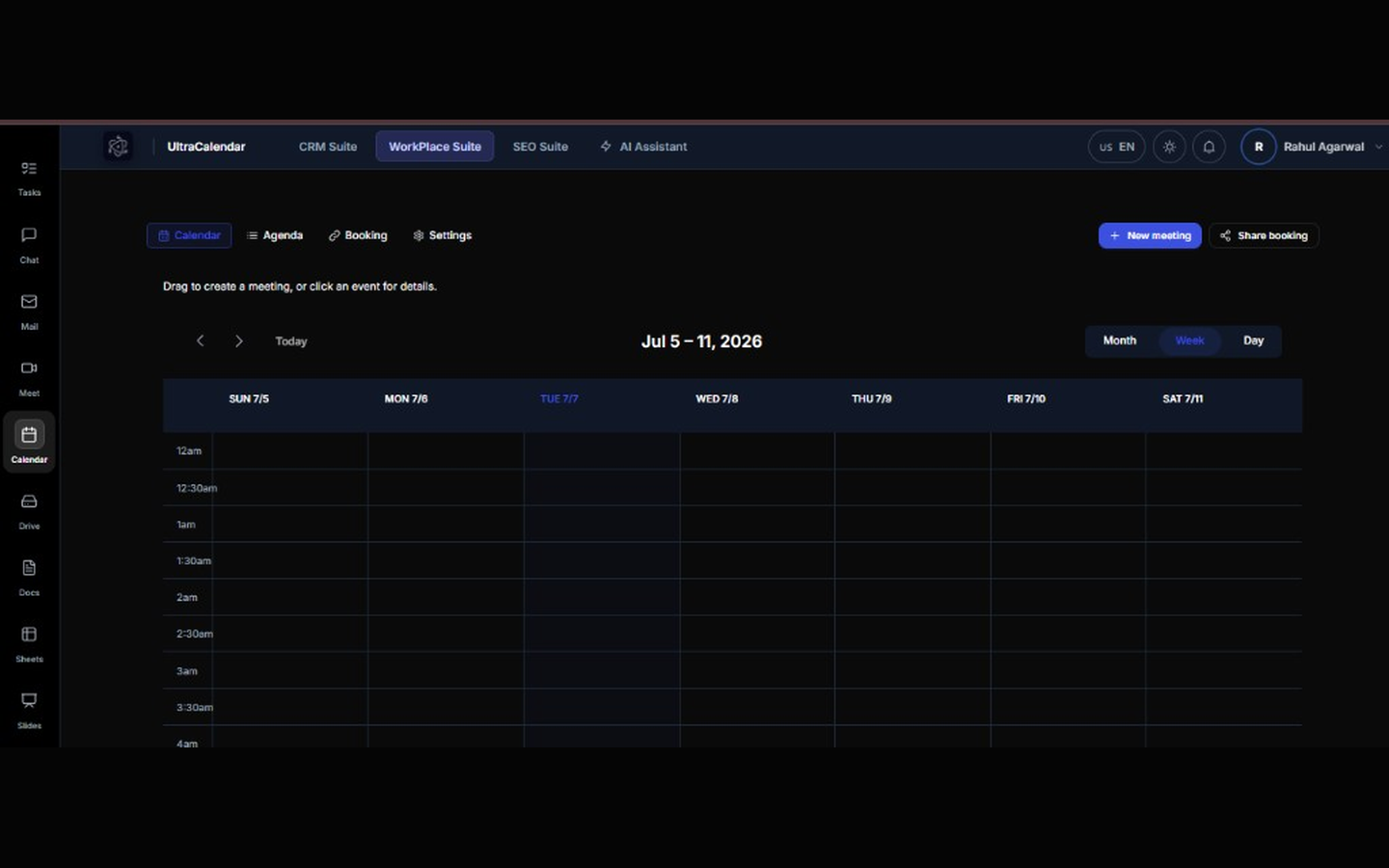
Team event calendar

Month, week, and agenda views for company events. Everyone sees the same source of truth.

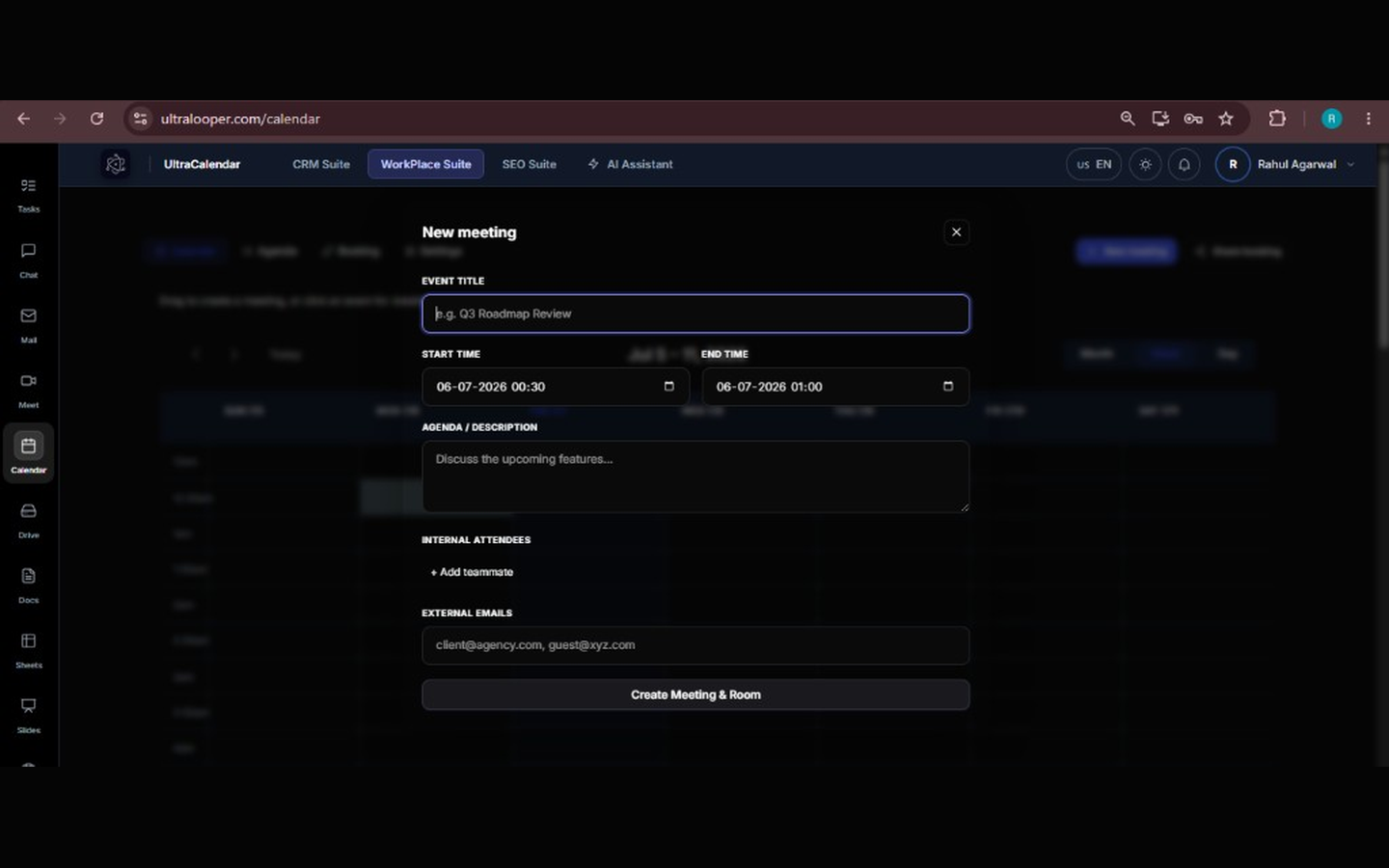
Invite teammates & guests

Add hosts and guests with email invites and calendar attachments (.ics).

Timezone-aware

Events store timezone context so distributed teams schedule with clarity.

Appointment scheduling

Let visitors book time on your calendar

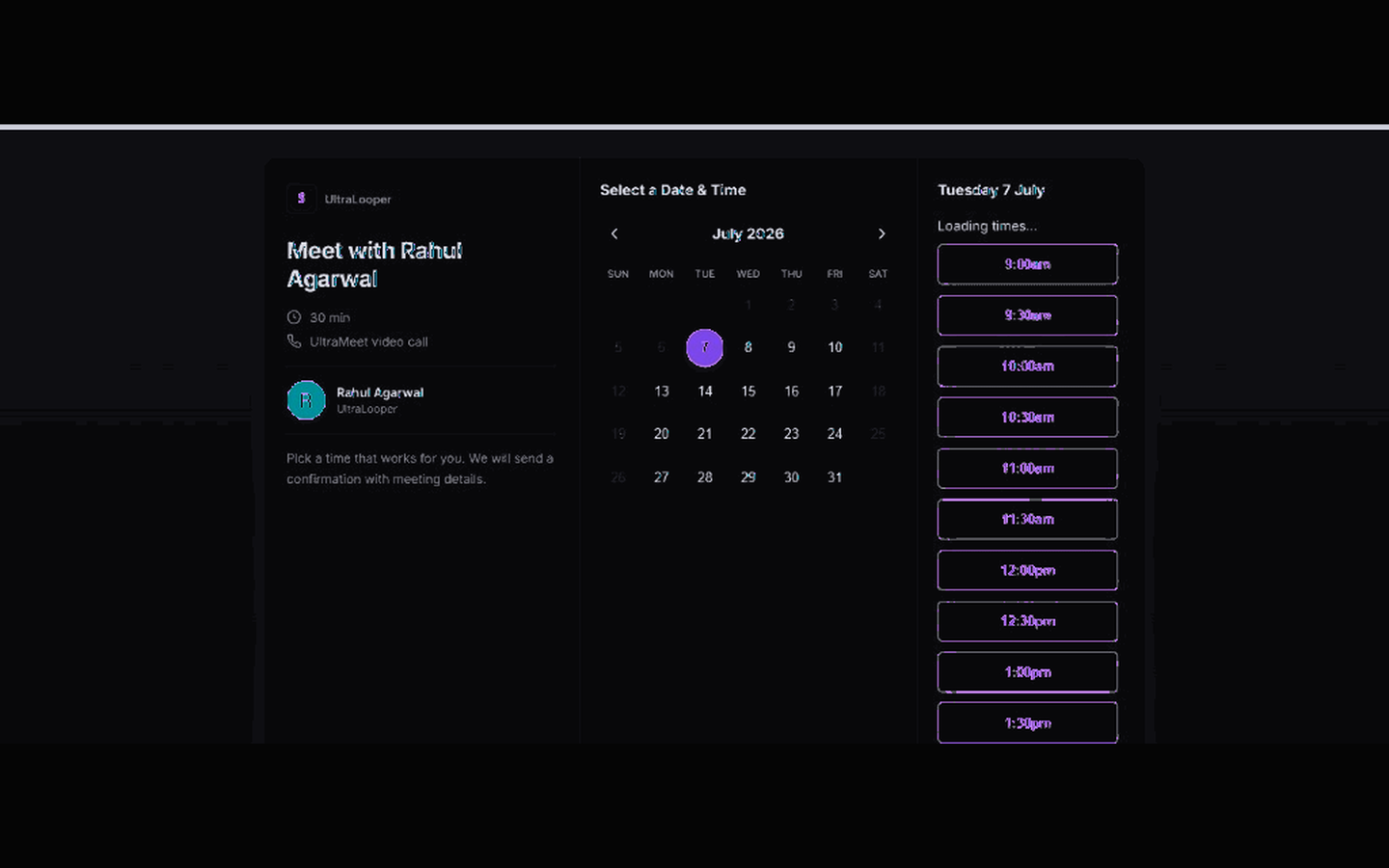
Share a public booking link or embed it on your site—guests pick a slot without an UltraLooper account.

Public booking URLs

Generate a signed booking page from UltraCalendar. Share or embed it like Calendly—included in your workplace.

Embeddable widget

Drop the booking flow into your marketing site via iframe or direct link.

Branded confirmations

Hosts and guests receive email confirmations with calendar attachments—no manual follow-up.

Conferencing

Optional UltraMeet on every booking

When you need video, bookings can attach an UltraMeet room automatically—scheduling and conferencing stay connected.

UltraMeet join links

Calendar bookings can include a browser-based meeting room for hosts and guests.

One workplace stack

UltraCalendar, UltraMeet, UltraMail, and UltraTasks live in UltraLooper—fewer subscriptions to manage.

Why teams choose UltraCalendar

Included in Ultra Workplace

Team calendar and booking ship with UltraMail, UltraDocs, UltraTasks, and AI agents—one bill instead of Calendly plus five tools.

Private company workspace

Calendar data lives in your UltraLooper company workspace—not a consumer scheduling account disconnected from ops.

Built for booking + internal events

Manage external appointments and internal team events from the same calendar.

FAQ

UltraCalendar questions

What is UltraCalendar?

UltraCalendar is the team calendar and public booking tool inside UltraLooper. It covers internal events, guest booking pages, and optional UltraMeet video.

How do I open UltraCalendar after I log in?

Log in to UltraLooper and go to your dashboard. Click the grid icon (All apps) at the bottom of the left sidebar to open the full app launcher, then choose UltraCalendar. UltraCalendar, UltraSheets, UltraSlides, UltraForms, and UltraApprove are listed under Docs & planning in that menu.

Is UltraCalendar free?

UltraLooper offers a free trial. UltraCalendar is included in Ultra Workplace plans—see ultralooper.com/pricing.

Can I embed booking on my website?

Yes. Generate a public booking link from UltraCalendar and embed it on your site. Guests book with name and email only.

How is UltraCalendar different from Calendly?

Calendly is a standalone scheduler. UltraCalendar is team scheduling inside UltraLooper—with mail, tasks, docs, and optional video in one stack. See our Calendly alternative comparison.

Does UltraCalendar sync with Google or Outlook?

UltraCalendar is the primary calendar inside UltraLooper. External two-way sync may vary by plan—contact us for enterprise calendar federation needs.

Master your schedule with UltraCalendar

Included in UltraLooper Ultra Workplace—calendar, mail, tasks, docs, video, and AI agents in one subscription.